1
Assign it to your partner
The task goes to your partner's board. You become a watcher because you created the shared responsibility.
 MyOffloadDownload iOS app
Shared coordination for two
Connect with your partner, assign agreed tasks, keep relevant status visible, and let the person who owns the task receive its reminder.
Partner sharing should always be used with both people's knowledge and agreement.
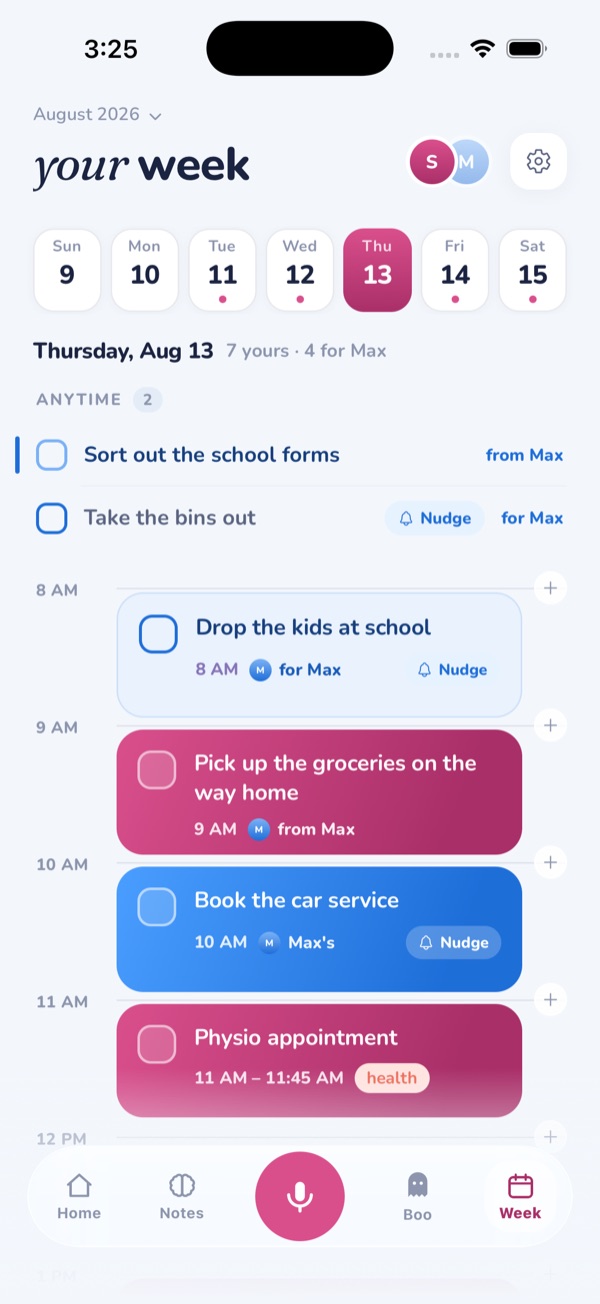

MyOffload shares only the responsibilities you choose. An assigned task can appear on your partner's board with its context and requested reminder. The shared calendar-style view shows relevant timing and status. Your private tasks, notes, and voice offloads do not become a shared household feed.
Two clear roles
Visibility and ownership are separate, so seeing a responsibility does not automatically make someone responsible for doing it.
The task goes to your partner's board. You become a watcher because you created the shared responsibility.
The task remains yours. Your partner can see the agreed status without becoming the owner.
Dates, timeline position, completion, and other relevant changes stay visible in the Shared screen for the two people involved.
A natural handoff
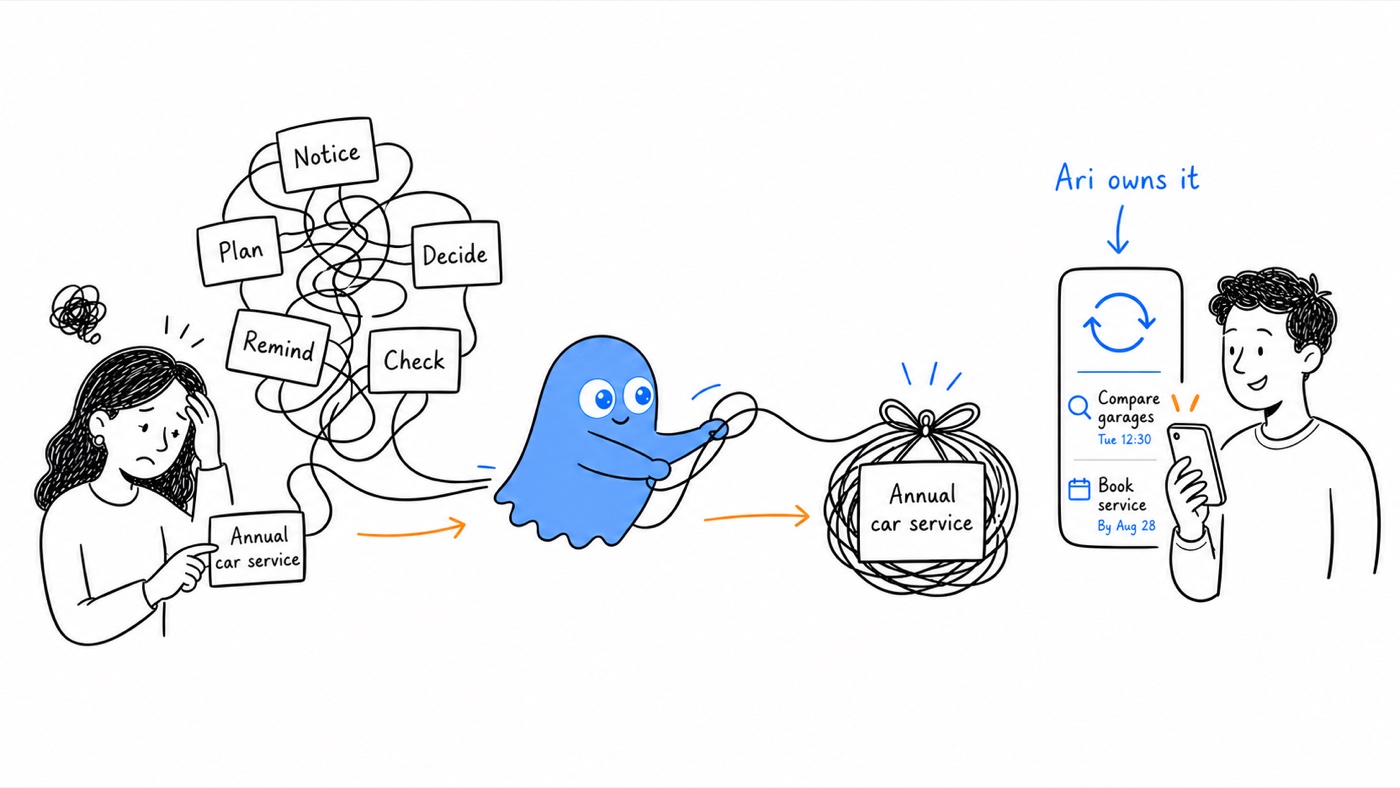
Remind Ari on Wednesday at lunch to book the car service before our road trip.
MyOffload turns the useful details into an assigned task for Ari. The task can carry the date, context, and requested reminder. Because Sneha assigned it, she can watch the agreed status without keeping “ask Ari about the car” as another task in her own head.
Shared does not mean supervised
A watcher can see a genuinely shared outcome without carrying the task. The owner can mark it done, reopen it if necessary, and use Break Down or Plan My Day inside their own workflow.
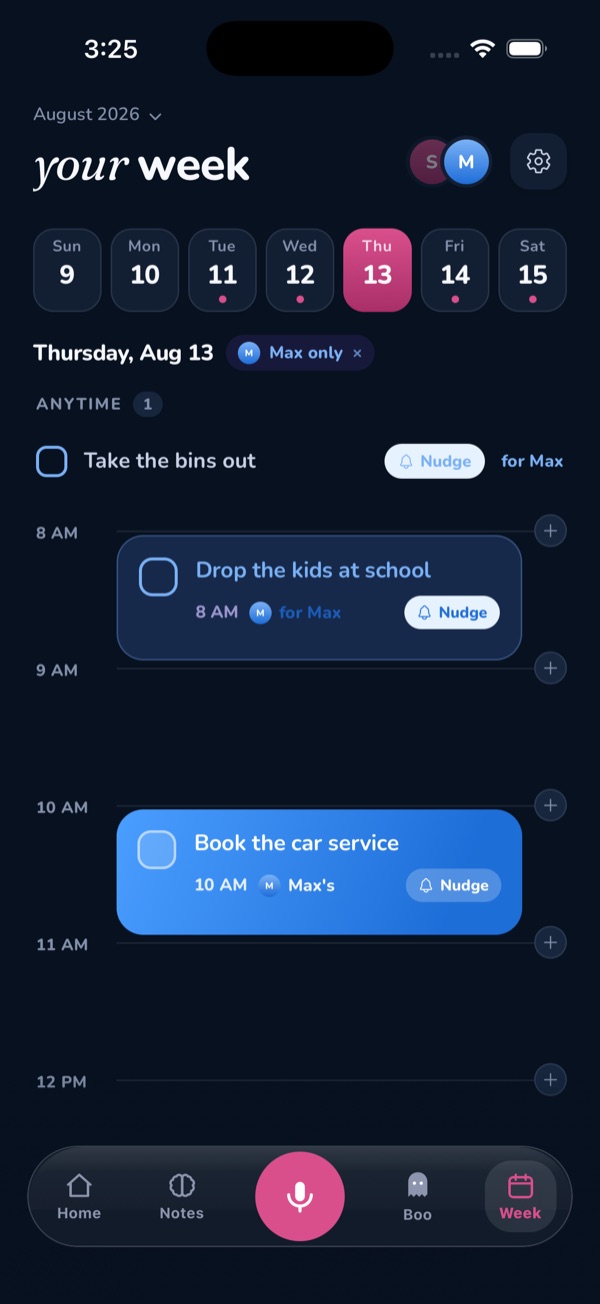
The partner filter lets you focus on one person's agreed responsibilities without turning every private task into shared information.
A nudge is available for a missed shared task, but it should support an agreement, not become a new form of constant monitoring.
Connect only with a partner who has agreed to the shared system. Decide which responsibilities need visibility, when a nudge is appropriate, and what should remain private. MyOffload can hold an agreement, but it cannot create one for you.
Useful next reads
Keep agreed tasks visible without turning one partner into the household project manager.
Download iOS app